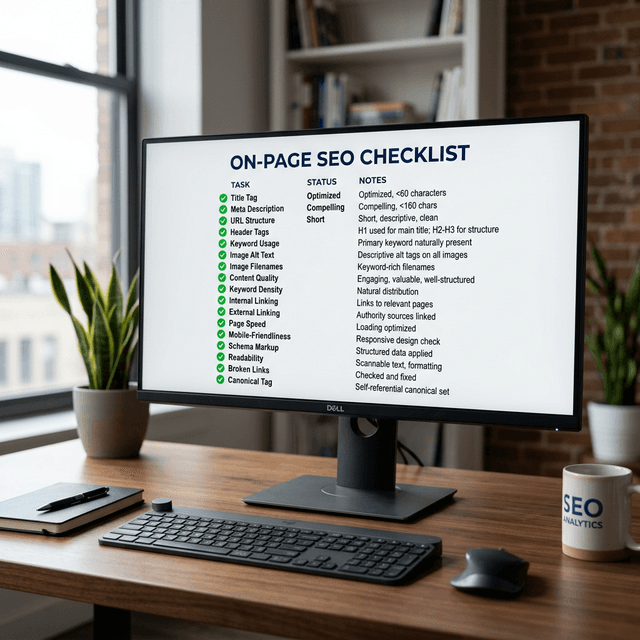

Most SEO problems are visible. Rankings drop, traffic falls, impressions decline — you can see the damage in Google Search Console and trace it back to a cause. But canonical tag problems are different. They operate in the background, quietly splitting your ranking signals across duplicate or near-duplicate pages, diluting your authority, and confusing Google's crawlers about which version of a page actually matters. By the time the impact shows up in your analytics, the problem has often been running for months.
The canonical tag — technically the rel="canonical" HTML element — is one of the most important and most misused signals in technical SEO. It's a directive that tells Google: "This is the authoritative version of this page. When you're deciding which URL to show in search results, choose this one." When implemented correctly, it consolidates ranking signals, prevents duplicate content penalties, and gives you deliberate control over what Google indexes. When implemented incorrectly — or not at all — it creates a chaotic environment where Google makes the decisions for you, often not in your favor.

Why Duplicate Content Is More Common Than You Think
Before diving into canonical implementation, it's worth understanding how widespread the underlying problem actually is. Most site owners assume duplicate content means someone copied their article. In reality, the most common sources of duplicate content are generated automatically by your CMS and site structure, often without anyone realizing it.
Consider URL parameters. An e-commerce product page might be accessible via /product/blue-widget, /product/blue-widget?color=blue, /product/blue-widget?ref=homepage, and /product/blue-widget?session=abc123. From a human perspective, these are all the same page. From a crawler's perspective, they're four different URLs with four different addresses — and without a canonical tag pointing to the preferred version, Google may index all of them, split the ranking signals, and choose the "wrong" version to surface in search results.
Similar issues arise from printer-friendly page versions, www vs. non-www variations, HTTP vs. HTTPS versions, trailing slash vs. no trailing slash URLs, and paginated content. Add in syndicated content (your posts republished on partner sites or aggregators), and you have a complex web of potential duplication that affects almost every site with more than a few dozen pages.
How the Canonical Tag Actually Works
The canonical tag is placed in the <head> section of an HTML page and looks like this:
<link rel="canonical" href="https://example.com/preferred-url/" />
It tells Google — and other search engines that respect it — that the page at the specified href is the preferred, authoritative version. When Google encounters multiple URLs with the same or very similar content, it uses canonical signals to decide which URL to consolidate ranking signals toward and which URL to display in search results.
It's important to understand that canonical is a hint, not a directive. Google does not guarantee that it will follow the canonical tag you specify. If you've marked a canonicalized page with a noindex tag, set up conflicting signals in your XML sitemap, or pointed a canonical at a URL that redirects elsewhere, Google may ignore your canonical preference entirely and choose its own canonical. This is why canonical implementation requires consistency across all signals — the canonical tag, the sitemap, the internal links, and any redirects all need to point to the same preferred URL.
Self-referential canonicals — where a page points to itself as the canonical — are also valid and recommended. Every page on your site should have a canonical tag, either pointing to itself (to explicitly claim it as canonical) or pointing to another URL (to defer to that page as the authority). Pages without canonical tags leave the decision entirely to Google, which isn't where you want to be.
When and How to Use Canonical Tags
For URL parameter variations: Add a canonical tag pointing to the clean, parameterless URL on every parameterized version of the page. If your analytics platform, CMS, or ad tracking system is appending parameters to URLs, canonicals prevent those variants from fragmenting your signals.
For paginated content: The canonical debate around pagination has evolved over the years. The current best practice for most sites is to canonicalize paginated pages to themselves (self-referential canonical on page 2, 3, etc.) rather than pointing them all to page 1. This allows the paginated pages to be indexed individually while still signaling that page 1 is the primary entry point.
For syndicated content: If your content appears on other sites, work with those partners to ensure they include a canonical tag pointing back to your original URL. This is the most reliable way to ensure you — not the syndicating site — capture the ranking signals from that content.
For e-commerce product variants: When the same product exists in multiple variants (color, size, etc.) with separate URLs, use canonicals to point all variants to a primary product page — typically the most popular or default variant. This consolidates signals onto one strong page rather than splitting them across dozens of near-identical pages.
For HTTPS migrations: When migrating from HTTP to HTTPS, ensure every canonical tag on the new site points to HTTPS URLs, not HTTP. Mixing protocols in your canonicals is a common source of indexing confusion during and after migrations.
Common Canonical Tag Mistakes That Undo Your SEO
The single most damaging canonical mistake is canonical chains — where page A canonicalizes to page B, which canonicalizes to page C. Google follows canonical chains but with diminishing confidence at each step. If you're pointing canonicals through multiple hops, some of the signal consolidation you're trying to achieve is getting lost in transit. Always point canonicals directly to the final preferred URL.
Canonicalizing to a redirected URL is a similar problem. If your canonical points to a URL that then 301-redirects to another URL, you've created a mixed signal. Google may follow the redirect and ultimately identify the correct canonical, but it's extra work for the crawler and introduces uncertainty. Keep your canonical targets clean and direct.
Another frequent mistake is implementing canonicals via HTTP headers rather than HTML, and then not consistently applying them. HTTP header canonicals work but are harder to audit and easier to misconfigure on a CDN or server-side redirect layer. Wherever possible, implement canonicals in the HTML <head> where they're easier to verify.
Blocking canonicalized pages with robots.txt is also a problem. If Googlebot can't crawl a page, it can't read the canonical tag on that page. Your canonical tag only works if the page it lives on is crawlable. Similarly, canonicalized pages should not also be marked noindex. These are conflicting signals — noindex says "don't index this page," while canonical points elsewhere saying "index the other version." Google will usually honor the noindex, but it's cleaner and safer to use one signal consistently.
For a comprehensive look at how canonical tags fit into your broader technical SEO practice, our full how to do an SEO audit guide covers the canonical audit process alongside every other technical element worth reviewing.
Canonical Tags vs. 301 Redirects: When to Use Which
A common question is whether to use a canonical tag or a 301 redirect when you have duplicate content. The general rule: if the duplicate URL has no legitimate reason to exist independently (it will never be directly linked to, bookmarked, or shared), use a 301 redirect. If the URL needs to remain accessible for functional reasons — like URL parameters required for tracking — use a canonical tag.
Redirects are stronger signals than canonical tags. A 301 redirect completely eliminates the duplicate URL from search results. A canonical tag preserves the URL's accessibility while directing ranking signals to the preferred version. For most duplication scenarios you control, redirects are the cleaner solution. Canonicals are the right tool when you need the duplicate URL to remain functional.
Auditing Your Canonical Tags
If you've never audited your canonical implementation, run a crawl with Screaming Frog or a similar tool and check three things: Are all pages returning a canonical tag? Do all canonical tags point to the correct preferred URL? Are there any canonical chains, canonicals pointing to redirected URLs, or self-conflicting signals?
For sites with significant URL parameter complexity, Google Search Console's URL Inspection tool lets you check specific URLs and see which version Google has selected as canonical. If Google is choosing a different canonical than what your tag specifies, that's a signal that your canonical tags are being overridden — often because of conflicting signals elsewhere (usually in sitemaps or internal links pointing to the "wrong" version). For an integrated approach to monitoring your on-page signals, our on-page SEO checklist is a useful companion to this guide.
Canonical tags won't transform a struggling site overnight. But they're the kind of foundational technical signal that, once implemented correctly across an entire site, quietly consolidates authority and removes friction from Google's ability to identify and rank your best content. They prevent half your SEO problems before those problems have a chance to start.
Fix your technical SEO foundation before it costs you rankings.
Start your free AgenticSEO workflow and access automated site audits, canonical tag monitoring, and technical SEO tools built for sites that want to rank.
Ready to Automate Your SEO?
Turn this into a repeatable growth loop with prioritized opportunities, guided execution, and clear measurement windows.
Start your free AgenticSEO setup
Frequently Asked Questions
How do I prioritize this workflow each week?
Start with pages that already have impressions and are close to page-one movement potential.
How much should I change at one time?
Limit major edits so you can evaluate impact clearly and avoid masking what caused movement.
Key Takeaways
- Align updates to one clear search intent per page.
- Prioritize work by impact and implementation effort.
- Track outcomes on fixed review windows.
- Build compounding gains through consistent internal linking and content refinement.