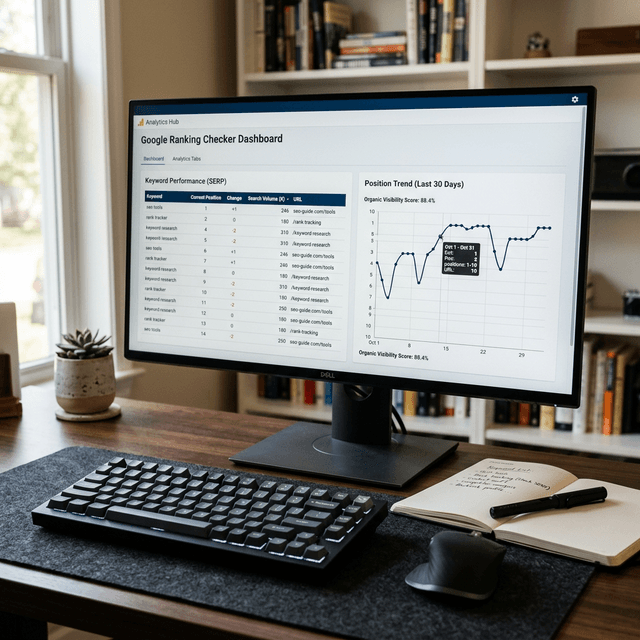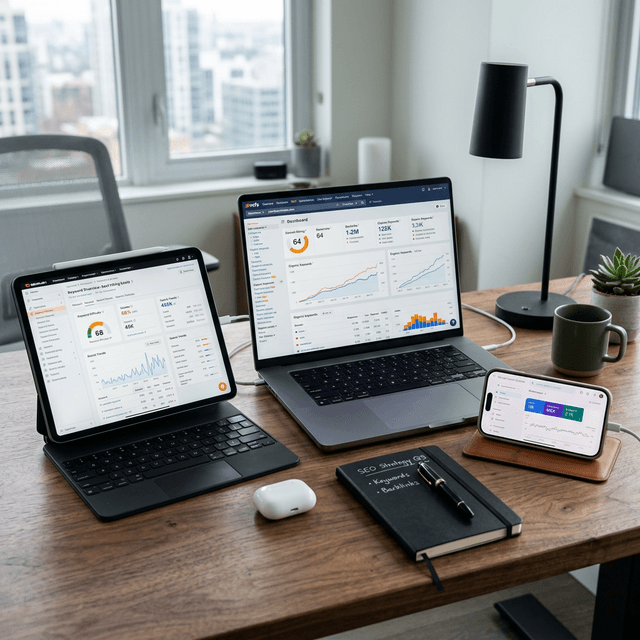

A $99/month rank tracker is not the reason your competitors outrank you. And buying one will not fix the gap.
That might sound strange coming from a company that builds SEO tools. But here is the reality: most teams that pay for rank tracking do not use the data to make better decisions. They watch numbers move up and down, feel good or bad about it, and continue doing exactly what they were doing before.
Rank tracking is only valuable when it changes what you do next. And for that, you do not need an enterprise tool. You need the right data, reviewed at the right intervals, connected to actions.
Google Search Console already tracks your rankings
This is the part that surprises people. Google Search Console gives you actual ranking data, directly from Google, for free. Not estimated positions. Not scraped results. Real average positions based on how your pages appeared in search results.
Go to Performance → Search results. Click the "Average position" toggle. Now you can see every query Google associated with your site, the average position you appeared in, how many impressions you received, and how many clicks you got.
That is rank tracking. You already have it.
The catch is that Search Console shows "average position," which means if your page appeared at position 3 for some searchers and position 12 for others, you might see an average of 7.5. This makes individual data points noisy. But the trends over 28-day windows are reliable and actionable.
The three-filter technique that replaces most paid tools
Here is a simple method that extracts more value from Search Console than most people get from paid rank trackers.
Filter 1: Your money queries. Identify 15-25 queries that directly connect to your business. These are the ones where ranking higher would generate leads, sales, or signups. Track these weekly.
Export the Performance report filtered to these queries. Drop the data into a spreadsheet. Compare this week's average positions to last week's. That is your core ranking report.
Filter 2: Your growth zone. Filter queries to positions 4-15 with 50+ impressions. These are queries where you are close enough to page 1 (or already there) that a small improvement creates a meaningful traffic increase. This list changes week to week, which is exactly why checking it regularly matters.
Filter 3: Your warning list. Compare the last 28 days to the previous 28 days. Sort by largest impression drop. Pages losing impressions are either dropping in rank or losing search demand. Either way, they need attention before the decline compounds.
Three filters. One export session. Maybe 20 minutes per week. And you have more actionable ranking intelligence than most teams get from tools costing hundreds per month.
When manual position checks still make sense
Sometimes you need to know exactly where you rank for a specific query right now. Not an average over 28 days. The actual position, today, from a specific location.
For that, use an incognito browser window. But understand the limitations:
Google personalizes results based on location, search history, and device type. An incognito window removes some personalization but not all. Your IP address still influences results. So your "real" position might be different for a searcher in another city.
For location-specific checks, use Google's Ad Preview tool. It is free, it lets you specify location and device type, and it shows actual search results without triggering impressions. Most people do not know this tool exists, and it is more accurate than any incognito check.
The key insight: do not check your position daily. Positions fluctuate naturally. Checking daily creates anxiety without creating action. Check weekly for your money queries and monthly for everything else.
Building a ranking tracker in Google Sheets (30-minute setup)
If you want something more structured than manual exports but do not want to pay for a tool, build a simple tracker in Google Sheets.
Column structure:
| Query | Target URL | Baseline Position | This Week | Change | Impressions | CTR | Action Needed | |-------|-----------|-------------------|-----------|--------|-------------|-----|---------------|
How to maintain it:
Every Monday (or whatever day you choose), export your Search Console data for the previous 7 days. Update the position and impression columns for your tracked queries. The "Change" column auto-calculates. The "Action Needed" column is your judgment call.
Rules of thumb for the Action column:
- Position improved 3+ spots → Monitor. Something is working.
- Position stable → No action unless CTR is low.
- Position dropped 3+ spots for 2 consecutive weeks → Investigate and refresh.
- High impressions, position 4-10, CTR below 3% → Title/meta rewrite candidate.
This is not sophisticated. It does not need to be. The value comes from the weekly rhythm, not the tool.
What paid rank trackers actually give you (and whether you need it)
Paid tools like Ahrefs, Semrush, and dedicated rank trackers (AccuRanker, SERPWatcher, etc.) offer features that free methods cannot match. If daily reporting is becoming a bottleneck, use this AccuRanker vs Ahrefs decision guide to decide between a specialist tracker and a broader suite:
Daily tracking. If you need to see position changes daily (e.g., after a Google core update or a major site change), paid tools provide this automatically. Search Console data has a 2-3 day delay.
Competitor tracking. Paid tools let you track competitor rankings for the same queries you are targeting. This is useful for competitive analysis but rarely changes your tactical approach.
Local rank tracking. If you serve specific geographic markets, paid tools can track rankings from specific locations. This matters for local SEO. It matters less for national or global content.
Historical data beyond 16 months. Search Console retains 16 months of data. Paid tools keep historical data indefinitely, which is useful for long-term trend analysis.
SERP feature tracking. Paid tools show whether your page appears in featured snippets, People Also Ask, or other SERP features. This adds context to raw position data.
The honest assessment: If you are running a content-focused site with fewer than 500 pages, the free methods above cover 80-90% of what you need. If you are managing a large site, doing local SEO, or reporting to clients who expect polished dashboards, a paid tool makes sense.
Do not buy a rank tracker hoping it will improve your rankings. Buy it when the free methods create a bottleneck you can clearly identify.
The ranking metrics that actually predict growth
Position by itself tells you very little. A page at position 5 getting 10,000 impressions and 2% CTR is in a very different situation than a page at position 5 getting 100 impressions and 8% CTR.
Track these together:
Position + Impressions. Rising position with rising impressions means growing demand and improving rank. This is your best signal.
Position + CTR. Stable position but improving CTR means your title and meta are getting better at converting impressions to clicks. This is pure optimization value.
Position + Clicks. This is the only metric that directly correlates with business outcomes. Positions and impressions are inputs. Clicks are outputs.
Position velocity. How fast is the position changing? A page that moved from position 15 to position 8 in 14 days is behaving differently than one that moved from 15 to 12 over 8 weeks. Velocity indicates how actively Google is re-evaluating the page.
When you track these combinations instead of position alone, ranking data becomes a decision tool instead of a scoreboard.
For how to build these signals into a complete workflow, see AI SEO Workflow: From Data to Published in One Loop. For tool recommendations beyond rank tracking, see 10+ Best AI SEO Tools.
Ready to Automate Your SEO?
AgenticSEO connects your Search Console data to an automated opportunity engine. See which rankings to push, which to protect, and which to let go.
Start your free AgenticSEO workflow
Frequently Asked Questions
How often should I check my keyword rankings?
Weekly for your core 15-25 money queries. Monthly for everything else. Daily checking creates noise without useful signal.
Is Google Search Console position data accurate?
It shows average position across all impressions, which can be noisy for individual queries. But 28-day trends are reliable and directly from Google, making them more trustworthy than third-party estimates.
Why did my ranking drop suddenly?
Common causes: Google algorithm update, competitor published better content, your page has technical issues (slow load, broken elements), or natural position fluctuation. Check Search Console for crawl errors first, then compare your content to current top results.
Do I need a paid rank tracker to do SEO?
No. Google Search Console provides the core data you need. Paid tools add convenience and features like daily tracking and competitor monitoring, but they are not required for effective SEO.
Related Articles
- The Complete AI SEO Playbook - 16 min read
- AI SEO Workflow: From Data to Published in One Loop - 11 min read
- Domain Rating vs Domain Authority: What Actually Matters - 9 min read
Key Takeaways
- Focus on intent alignment before adding volume.
- Prioritize updates using impact and effort, not intuition alone.
- Track outcomes in defined review windows so decisions improve over time.
- Reinforce results with internal links and clear topical structure.